
Shapes are a quick and easy way of adding basic objects to your plan.
How it works:
There are 2 ways to place shapes:
1) From the ‘Shapes' icon on the top toolbar, select which shape you would like to place on the map. You can then place anywhere on your site plan.
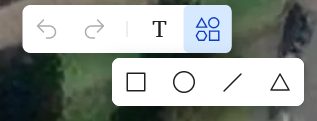
2) Use the following shortcuts on your keyboard:
-
Rectangle: Press "R"
- Ellipse: Press "O"
- Line: Press "L"
*Triangle does not have a shortcut
FAQS:
Can I customize the shapes?
Yes, the shapes can be customized with color, opacity and dimensions once placed on the map.