---
title: Changing Email
description: Changing email of subscription
---
[Skip to content](https://support.oneplan.io/changing-email-#main-content)
English
Show submenu for translations
[More support](https://support.oneplan.io/kb-tickets/new?hsLang=en)
[](https://support.oneplan.io/?hsLang=en)
- [Pricing](https://www.oneplan.io/pricing/)
- [OnePlan.io](https://www.oneplan.io/)
Open main navigation
Close main navigation
- [Pricing](https://www.oneplan.io/pricing/)
- [OnePlan.io](https://www.oneplan.io/)
- English
Show submenu for translations
- [More support](https://support.oneplan.io/kb-tickets/new)
- [Contact us](mailto:help@oneplan.io)
[Contact us](mailto:help@oneplan.io)
How can we help you?
- There are no suggestions because the search field is empty.
1. [OnePlan Knowledge Hub](https://support.oneplan.io/?hsLang=en)
2. [Account Management](https://support.oneplan.io/account-management?hsLang=en)
# Changing Email
**There is now the ability to change the email associated with your account**
**Instructions**
To access click on the initials in the top right corner
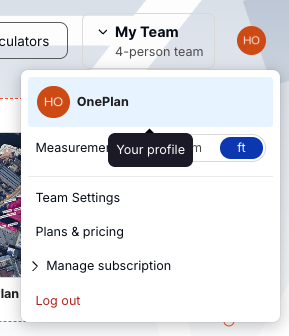
*Please note: This is only possible if you created your account using an email and password. If you signed up with Google, you can't change the email associated with your account.*
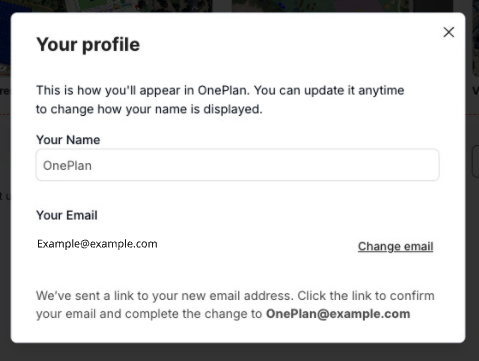
**Changing your name:**
1. Click on the input field
2. Type your name
3. Press Enter or click away to save
Changing your email:
1. Click Change email
2. Type in the new email
Note: This will only work if the changed email doesn't already exist in OnePlan
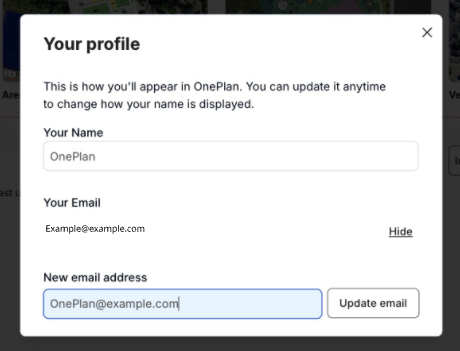
3. Click ‘Update email’
4. You will receive an email at the **NEW** email address
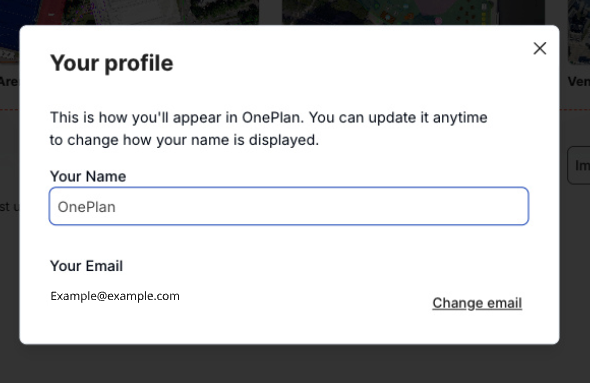
5. Once you have received the email, follow the link
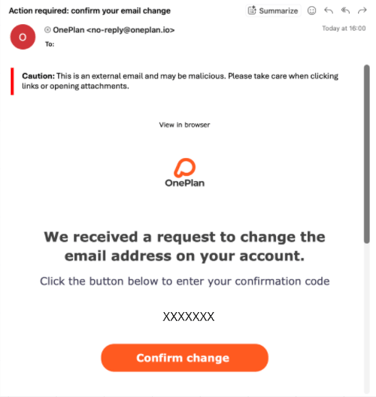
6. Fill in the verification code provided in the email
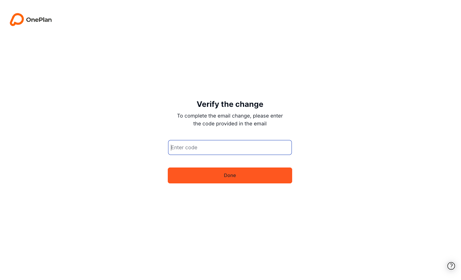
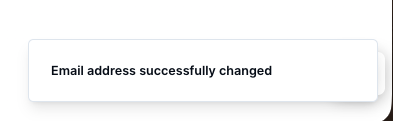
7. Click ‘Done ’, and your email will have been successfully changed
*Note:*
- *You can only change the email to an email that does not already have an account*
- *The email must be a valid email address*
- *Links will expire after 2 hours*
**For team accounts that wish to change the ownership of accounts, please contact our support team at support@oneplan.io for further information.**
- [Getting started](https://support.oneplan.io/getting-started?hsLang=en)
- [OnePlan Features](https://support.oneplan.io/oneplan-features?hsLang=en)
- [OnePlan Objects](https://support.oneplan.io/oneplan-objects?hsLang=en)
- [Object Management](https://support.oneplan.io/object-management?hsLang=en)
- [Account Management](https://support.oneplan.io/account-management?hsLang=en)
- [Migration](https://support.oneplan.io/migration?hsLang=en)
- [FAQs & Troubleshooting](https://support.oneplan.io/faqs-troubleshooting?hsLang=en)
[](http://oneplan.io)
[mailto:email@email.com](mailto:email@email.com)
Copyright © 2025, OnePlan