---
title: Creating and Maintaining Folders
description: Creating and Maintaining Folders Within Your OnePlan Map
---
[Skip to content](https://support.oneplan.io/creating-and-maintaining-folders#main-content)
English
Show submenu for translations
[More support](https://support.oneplan.io/kb-tickets/new?hsLang=en)
[](https://support.oneplan.io/?hsLang=en)
- [Pricing](https://www.oneplan.io/pricing/)
- [OnePlan.io](https://www.oneplan.io/)
Open main navigation
Close main navigation
- [Pricing](https://www.oneplan.io/pricing/)
- [OnePlan.io](https://www.oneplan.io/)
- English
Show submenu for translations
- [More support](https://support.oneplan.io/kb-tickets/new)
- [Contact us](mailto:help@oneplan.io)
[Contact us](mailto:help@oneplan.io)
How can we help you?
- There are no suggestions because the search field is empty.
1. [OnePlan Knowledge Hub](https://support.oneplan.io/?hsLang=en)
2. [Object Management](https://support.oneplan.io/object-management?hsLang=en)
# Creating and Maintaining Folders
## Folders help you organize and group objects in the "placed objects" menu panel.
**Why use folders?**
Folders help organize all placed objects. For events with high object counts, finding and organizing placed objects in the menu can be challenging.
**How?**
***Creating a folder:***
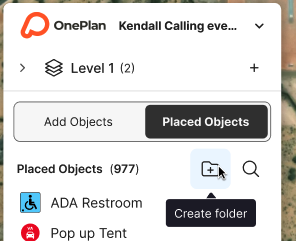
1. Create an **empty** folder by clicking on the folder icon button in the placed objects menu.
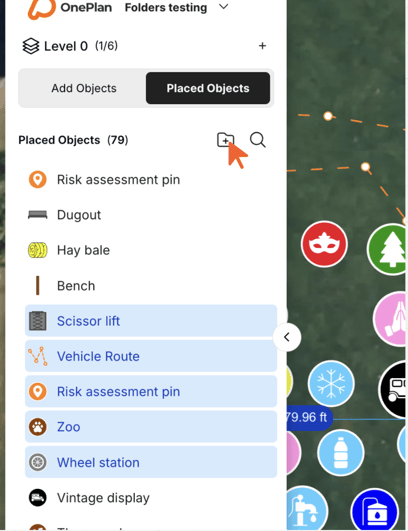
2. Create a folder by selecting an object or multiple objects (hold Ctrl button), then clicking the folder icon button.
***Move objects into a folder:***
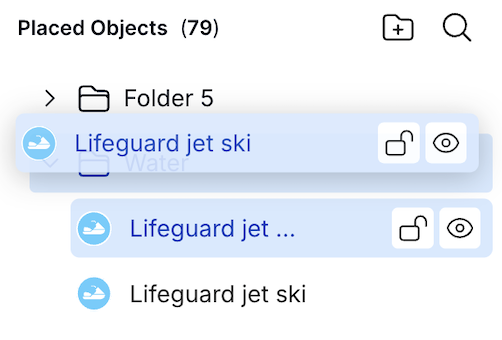
You can move an object into a folder by clicking and dragging it into the folder of choosing.
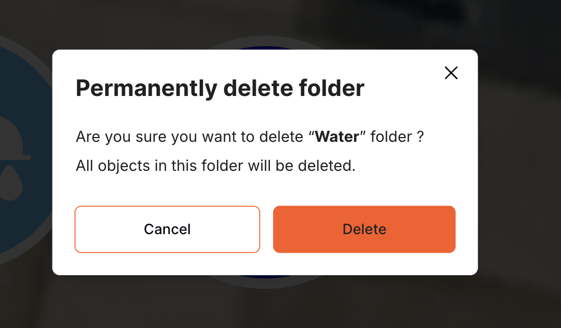
***Delete a folder:***
There are two ways to delete folders:
1. Select the folder and press Delete on your keyboard.
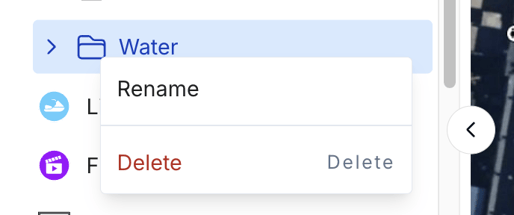
2. Right-click on the folder to open the right click menu and click delete
**NOTE:** Deleting a folder also deletes all objects within it, and is not reversable. Once deleted, the folder and objects within cannot be recovered.
***Rename a folder:***
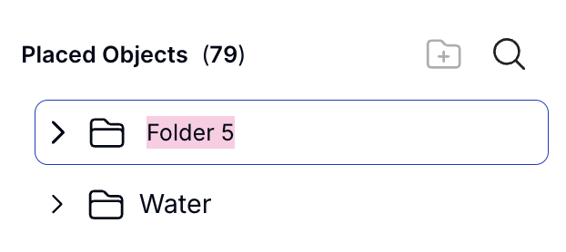
You can rename a folder by double-clicking its name, or opening the right click menu.
***Re-order objects:***
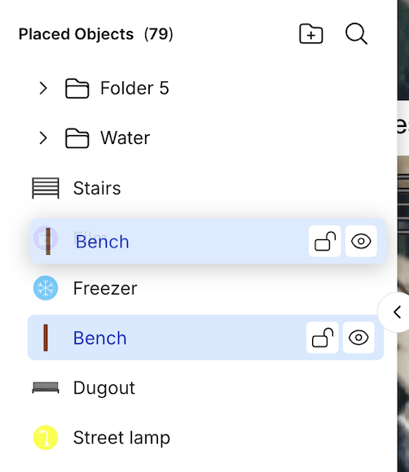
You can reorder your placed object menu items using drag-and-drop.
- [Getting started](https://support.oneplan.io/getting-started?hsLang=en)
- [OnePlan Features](https://support.oneplan.io/oneplan-features?hsLang=en)
- [OnePlan Objects](https://support.oneplan.io/oneplan-objects?hsLang=en)
- [Object Management](https://support.oneplan.io/object-management?hsLang=en)
- [Account Management](https://support.oneplan.io/account-management?hsLang=en)
- [Migration](https://support.oneplan.io/migration?hsLang=en)
- [FAQs & Troubleshooting](https://support.oneplan.io/faqs-troubleshooting?hsLang=en#main-content)
- [Future Developments](https://support.oneplan.io/faqs-troubleshooting?hsLang=en#future-developments)
[](http://oneplan.io)
[mailto:email@email.com](mailto:email@email.com)
Copyright © 2025, OnePlan