---
title: Icons in OnePlan
description: An icon is a representation of something without reference to its size. The intended use of icons is to show the position of something or as a label for something.
---
[Skip to content](https://support.oneplan.io/icons-in-oneplan#main-content)
English
Show submenu for translations
[More support](https://support.oneplan.io/kb-tickets/new?hsLang=en)
[](https://support.oneplan.io/?hsLang=en)
- [Pricing](https://www.oneplan.io/pricing/)
- [OnePlan.io](https://www.oneplan.io/)
Open main navigation
Close main navigation
- [Pricing](https://www.oneplan.io/pricing/)
- [OnePlan.io](https://www.oneplan.io/)
- English
Show submenu for translations
- [More support](https://support.oneplan.io/kb-tickets/new)
- [Contact us](mailto:help@oneplan.io)
[Contact us](mailto:help@oneplan.io)
How can we help you?
- There are no suggestions because the search field is empty.
1. [OnePlan Knowledge Hub](https://support.oneplan.io/?hsLang=en)
2. [OnePlan Objects](https://support.oneplan.io/oneplan-objects?hsLang=en)
# Icons in OnePlan
#### Icons in OnePlan
An icon is a representation of something without reference to its size. The intended use of icons is to show the position of something or as a label for something.
Examples: Wristband collection, Pedestrian Access, Ticket Booths and Accessible parking.
| ### **Function** | |
| --- | --- |
| Re-size by bounding box | ✅ |
| Re-size by changing measurements | ❌ |
| Rotation | ✅ |
| Change opacity | ✅ |
| Change background colour | ✅ |
| Change foreground colour | ❌ |
*Here are some examples of icons used in OnePlan:*

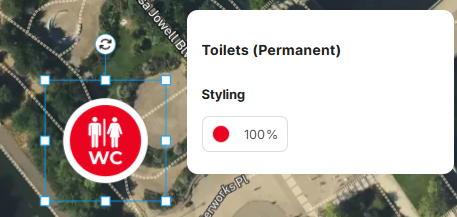
Icons can be styled in different colours using the properties box once you click on them. You can also use the boundary box to resize an icon. One again, it is important to remember that an icon is only a representation of something, not its physical size on the map.
1. **Workforce.**
While technically icons, workforce dots are distinct because they consist of a single color and are specifically designed for dot planning. As with regular icons, workforce icons can be styled and scaled to suit your needs.
*Examples of workforce: Police, Medical, Security, Steward.*

*Examples of Workforce Dots*
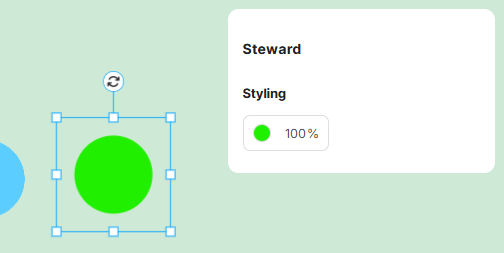
*Properties Panel for Workforce Dots*
#### Other objects in OnePlan
- [Scalable Objects](https://support.oneplan.io/one-plan-solo/scaleable-objects-in-oneplan?hsLang=en)
- [Lines](https://support.oneplan.io/one-plan-solo/lines-in-oneplan?hsLang=en)
- [Areas](https://support.oneplan.io/one-plan-solo/areas-in-oneplan?hsLang=en)
- [Getting started](https://support.oneplan.io/getting-started?hsLang=en)
- [OnePlan Features](https://support.oneplan.io/oneplan-features?hsLang=en)
- [OnePlan Objects](https://support.oneplan.io/oneplan-objects?hsLang=en)
- [Object Management](https://support.oneplan.io/object-management?hsLang=en)
- [Account Management](https://support.oneplan.io/account-management?hsLang=en)
- [Migration](https://support.oneplan.io/migration?hsLang=en)
- [FAQs & Troubleshooting](https://support.oneplan.io/faqs-troubleshooting?hsLang=en#main-content)
- [Future Developments](https://support.oneplan.io/faqs-troubleshooting?hsLang=en#future-developments)
[](http://oneplan.io)
[mailto:email@email.com](mailto:email@email.com)
Copyright © 2025, OnePlan