---
title: Object Property Panel
description: This article summerizes the object property panel in OnePlan
---
[Skip to content](https://support.oneplan.io/object-property-panel#main-content)
English
Show submenu for translations
[More support](https://support.oneplan.io/kb-tickets/new?hsLang=en)
[](https://support.oneplan.io/?hsLang=en)
- [Pricing](https://www.oneplan.io/pricing/)
- [OnePlan.io](https://www.oneplan.io/)
Open main navigation
Close main navigation
- [Pricing](https://www.oneplan.io/pricing/)
- [OnePlan.io](https://www.oneplan.io/)
- English
Show submenu for translations
- [More support](https://support.oneplan.io/kb-tickets/new)
- [Contact us](mailto:help@oneplan.io)
[Contact us](mailto:help@oneplan.io)
How can we help you?
- There are no suggestions because the search field is empty.
1. [OnePlan Knowledge Hub](https://support.oneplan.io/?hsLang=en)
2. [OnePlan Objects](https://support.oneplan.io/oneplan-objects?hsLang=en)
# Object Property Panel
## This article summerizes the object property panel in OnePlan
When you select any object, the Object Property Panel appears on the right-hand side of the studio screen.
Depending on the object, you will see different options for you to customize the selected object.
#### Styling
Use the Styling panel to adjust the color and opacity of the selected object. Click any element in the panel to begin customizing it.
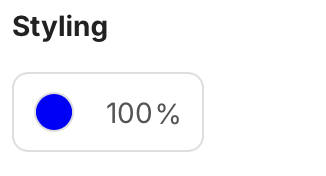
**Icon Styling**
Icon styling options let you change the fill color and opacity of icon objects placed on the canvas.
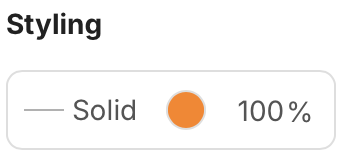
**Line Styling**
Line styling options let you adjust the color, opacity, and stroke style of line objects on the canvas.
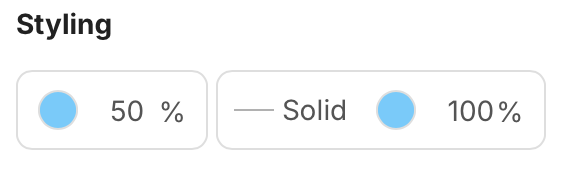
**Area Styling**
Area styling options let you customize the fill color, border color, and opacity of area objects on the canvas.
Size of Object
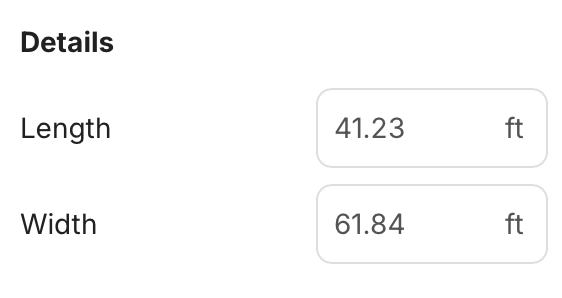
For items that are scalable, you will see the option to adjust the size. This will appears as imperial or metric measurements, depending on the setting for the plan.
- [Getting started](https://support.oneplan.io/getting-started?hsLang=en)
- [OnePlan Features](https://support.oneplan.io/oneplan-features?hsLang=en)
- [OnePlan Objects](https://support.oneplan.io/oneplan-objects?hsLang=en)
- [Object Management](https://support.oneplan.io/object-management?hsLang=en)
- [Account Management](https://support.oneplan.io/account-management?hsLang=en)
- [Migration](https://support.oneplan.io/migration?hsLang=en)
- [FAQs & Troubleshooting](https://support.oneplan.io/faqs-troubleshooting?hsLang=en#main-content)
- [Future Developments](https://support.oneplan.io/faqs-troubleshooting?hsLang=en#future-developments)
[](http://oneplan.io)
[mailto:email@email.com](mailto:email@email.com)
Copyright © 2025, OnePlan